Best Heavy Truck Scan Tool
Hd Truck Scan Tool
International Truck Scan Tool
Scan Tool For Cars And Trucks
Scan Tool For Semi Trucks
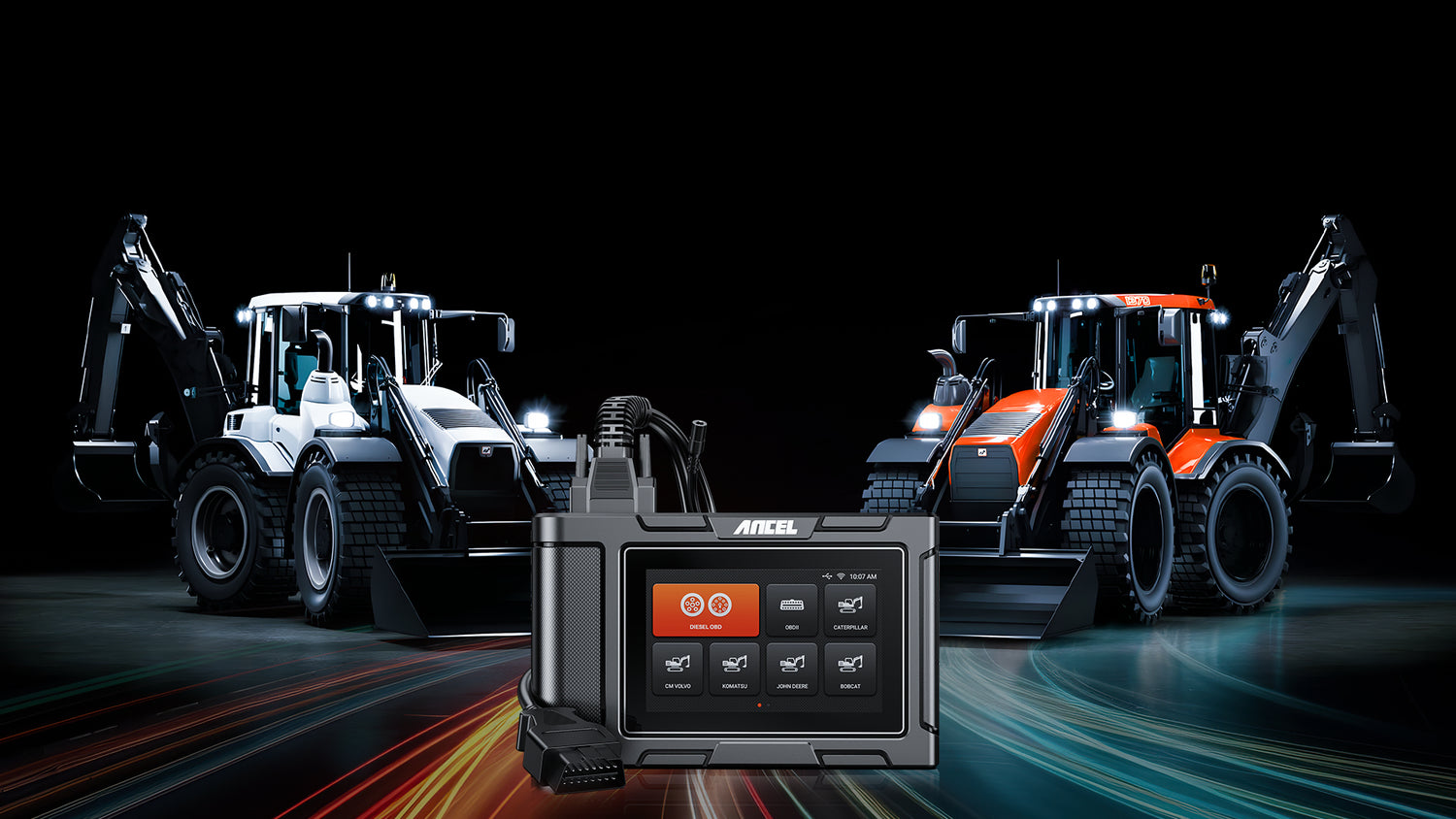
ANCEL HD3600 heavy equipment scan tool for construction machinery and trucks
ANCEL HD3600 CAT scan tool for compatible Caterpillar equipment, showing the scanner's front and rear design.

ANCEL HD3600 Construction Machinery DPF Reset Full System Heavy Duty Truck Scanner Tools

  • Suitable for agricultural machinery and construction machinery
  • Powerful DPF Regeneration Function
  • OBD-Level Diagnostic on Engine
  • All-in-one Tractor Diagnostic Tool
  • Lifetime Free Update
  • 5"Touch Screen with Android OS
$499.99 USD $399.99 USD SAVE 20%

Type: HD3600

HD3600
HD3600 + Battery Clamp Cable
HD3600 + HD001 Printer

paypalvisavisaelectronmastermaestrodiners clubjcbdiscoveramerican expressunionpayshopify payapple paygoogle payklarnabancontactideal
Shipping Policy
Enjoy Free US. Shipping or Upgrade to 1–2 Day Express. We ship from local warehouses first. If unavailable, orders may dispatch from other warehouses; customs clearance and duties may apply. See details in our Shipping Policy.
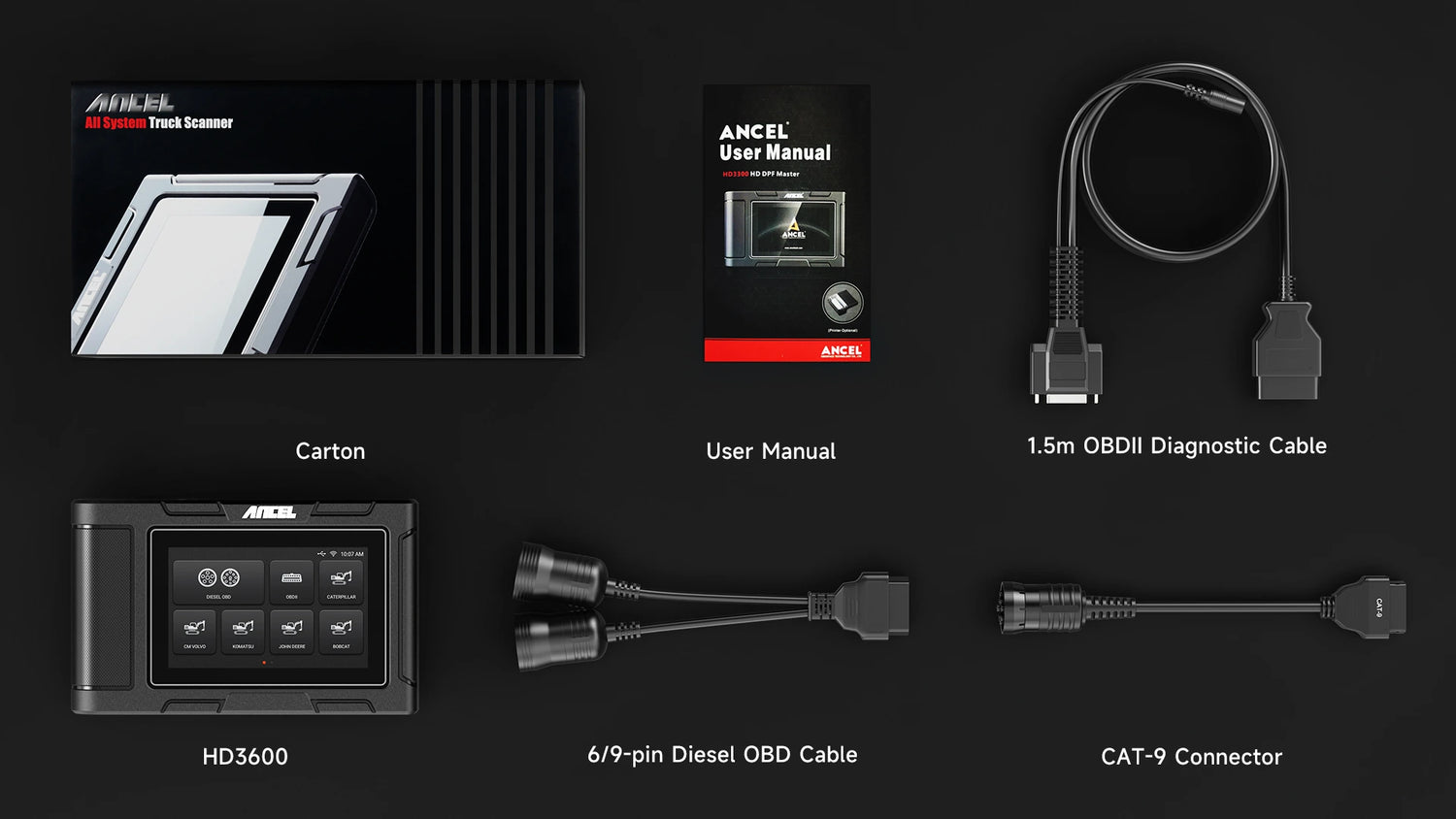
What's in the Box
HD3600 Scanner *1
OBDII 16-Pin Cable *1
DIESEL 6-Pin & 9-Pin Connector *1
CAT-9 Cable *1
User Manual *1
Carton *1

Fast Delivery in 1-5 business Days

30-Day Hassle-free Returns

1-Year Warranty Protection

All System Diagnostic

In-depth Diagnosis of All Available Modules

All System Diagnostic

In-depth Diagnosis of All Available Modules

Full OBDII Modes

Standard Diesel OBD & OBDII Protocols

Full OBDII Modes

Standard Diesel OBD & OBDII Protocols

HD DPF Master

DPF Reset and Regen for Most of Trucks

HD DPF Master

DPF Reset and Regen for Most of Trucks

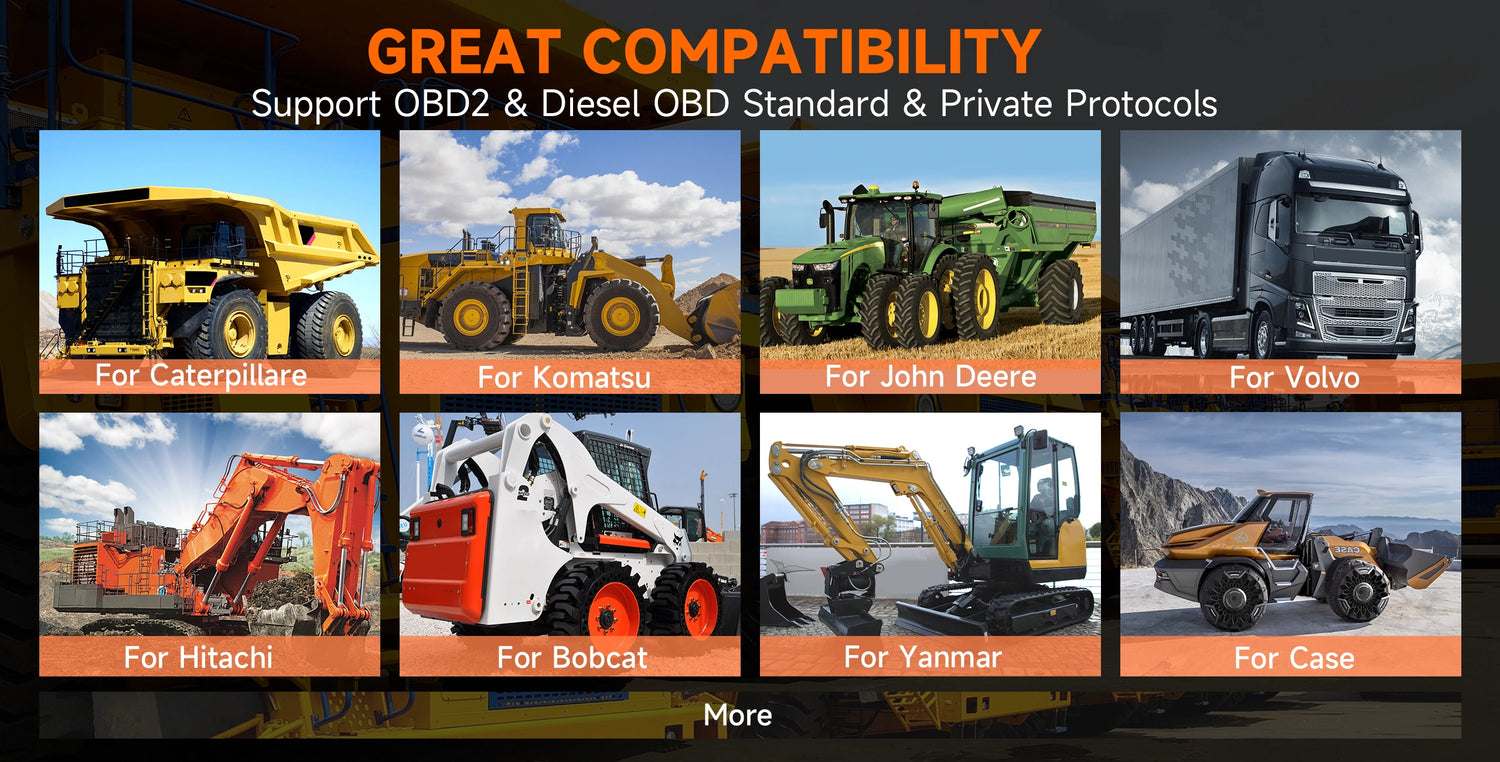
Wide Vehicle Support

Wide Vehicle Support for All Your Needs

Wide Vehicle Support

Wide Vehicle Support for All Your Needs

Android OS

With a High-end Processor for Fast Operation

Android OS

With a High-end Processor for Fast Operation

5-Inch Screen

LCD Touchscreen and Come with User-Friendly UI

5-Inch Screen

LCD Touchscreen and Come with User-Friendly UI

Why You Need an HD3600?

There are many expensive heavy truck scanners on the market today, but they can only diagnose truck systems and do not provide professional diagnostics for construction equipment.

The HD3600 is currently the only scan tool that can diagnose both construction machinery and heavy trucks. It is a construction vehicle diagnostic tool based on the Android tablet and is our answer to people who need a stand-alone, full-featured scan tool for work in agriculture, construction, mining, and other off-highway applications.

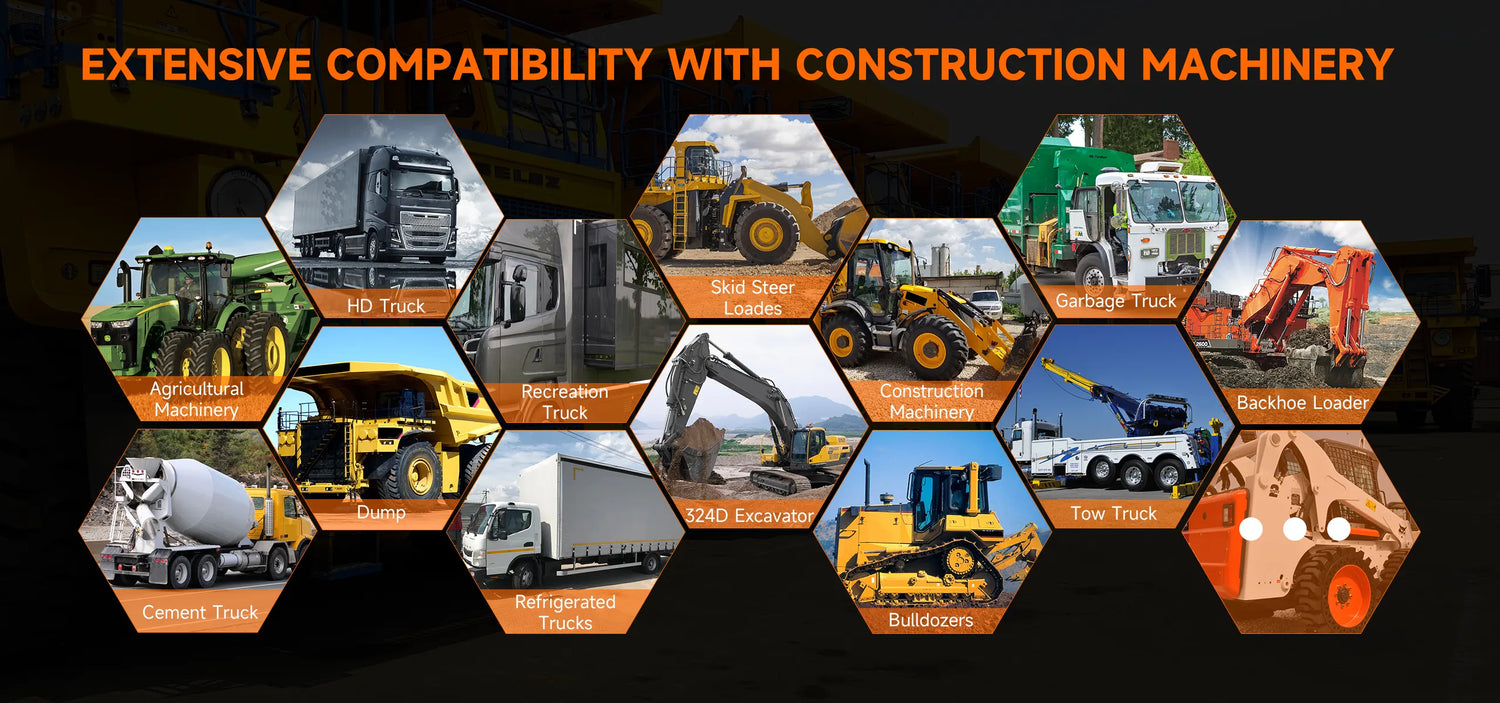
It provides all-system, in-depth diagnostics for nearly all construction equipment and machinery, such as loaders, tractors, dozers, street sweepers, and excavators, as well as other utility vehicles and equipment, and also features full OBD diagnostics.

For supported applications, including HD OBD, Volvo, and John Deere, HD3600 also features ECU Topology, providing a visual overview of the ECU network to help technicians quickly identify system connections, communication status, and fault locations.

Detect hidden issues before they escalate, so you can take smart maintenance action!

In addition, it can perform DPF regeneration, extend Your Equipment’s Service Life-Monitor critical systems in real time, and perform preventive maintenance to keep your heavy machinery running longer, saving you costly downtime!

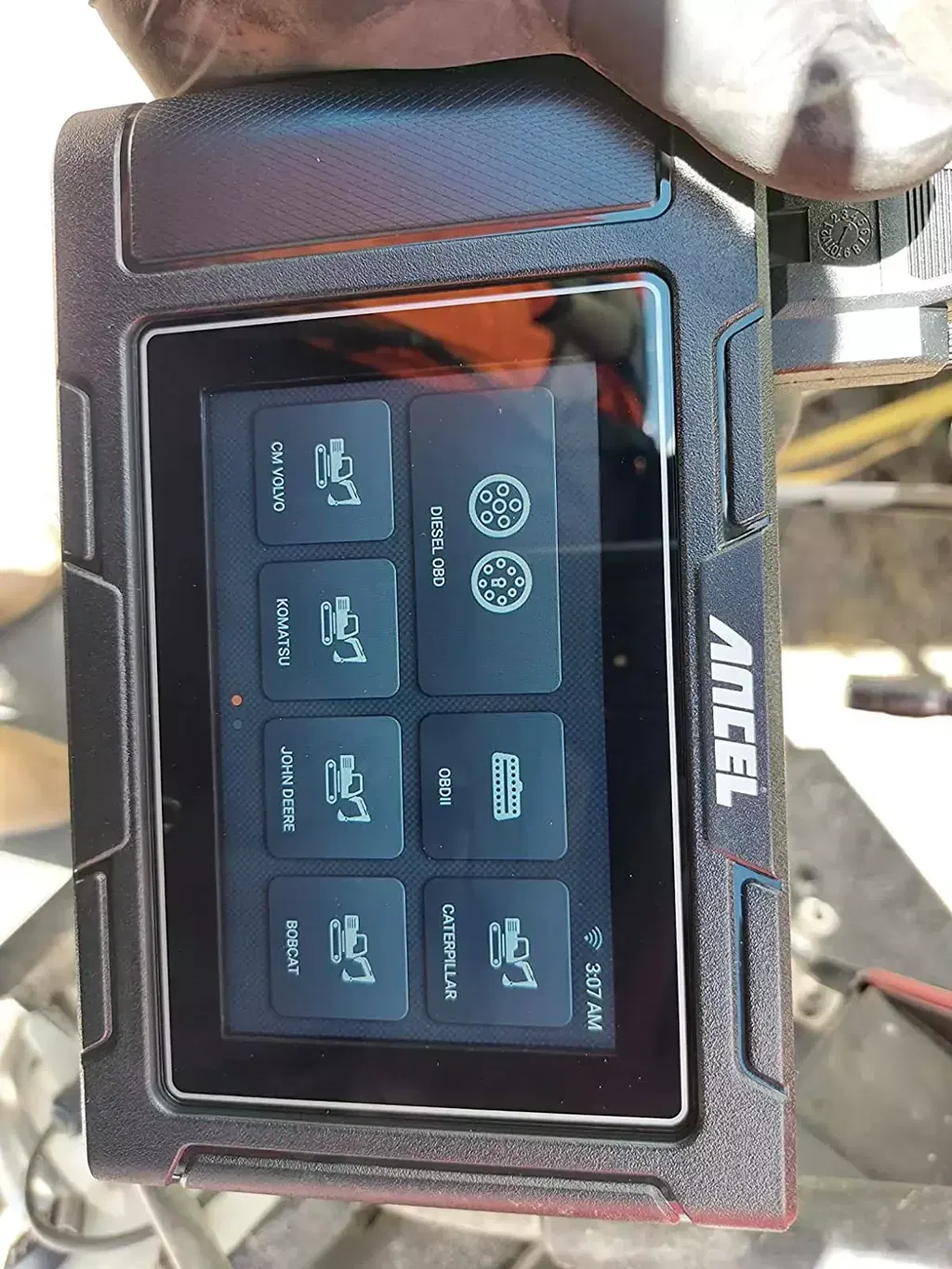
DPF Regen:Fits for Caterpillar, John Deere, Volvo, Bobcat and Komatsu

Why need to force DPF regeneration?

Regeneration, or regen, of the DPF filter, is the process that burns the soot accumulation that is inside the DPF filter. An unmaintained DPF runs your vehicles unnecessarily hard and less efficient. A clogged DPF filter is also tied to your fuel mileage and can cause your truck to feel sluggish. If you can no longer start a regen then you will eventually get stuck in a derate which will then lead to an engine shut down.

In which situations is DPF regeneration required?

The exhaust backpressure sensor is replaced.
The PM trap is removed or replaced.
The fuel additive nozzle is removed or replaced.
The catalytic oxidizer is removed or replaced.
The DPF regeneration MIL is turned on and maintenance is performed.
The DPF regeneration control module is replaced.

Why to choose HD3600 to perform DPF regeneration?

1) Make sure your construction machinery vehicle has enough power again (Suitable for Caterpillar, Volvo, John Deere, as well as Bobcat and Komatsu equipped with Cummins engines.)
If the diesel filter is clogged, the vehicle will not be able to fully use the fuel, resulting in insufficient mileage. Therefore, it is very important to clean the DPF filter regularly, which only HD3600 can do.

2) Save a lot of maintenance costs:
It is well known that maintenance costs at least 500-2000 dollars, but if you do the work yourself, your long-term savings will be enough to buy a new car.

3) Other benefits of cleaning your DPF filters:
Better MPG, better gas response, less frequent regenerations (passive), longer DPF life, less downtime...

PIN Detect

This function mainly measures the voltage of 16 PIN of OBD diagnostic interface, and judges the pin position of K- line and CAN line. After connecting the OBD interface of the vehicle, click the main interface "Tools" to select pin detection. The program automatically measures the 16pin voltage of the OBD diagnosis interface, and judges the pin position of K-line and can line.

Note: The test requires ECU no response, please ask the customer to check whether the diagnostic interface has voltage

OEM-Level All system Diagnostic Scanner

HD3600 diesel scanner can not only support full system scanning of construction machinery vehicles conforming to standard diesel OBD protocol, such as engine, ABS/EBS, transmission, body controller, chassis controller, instrument panel system, cruise control, gateway, etc. , also supports all system diagnostics for heavy duty trucks. Meet the diagnostic needs of a variety of models!

OBD-Level Diagnostic on Engine

Retrieve ECU Information: Read and display the control system module information detected from ECU.

Read Fault Codes: Read the fault code information retrieved from the vehicle system module.

Erase Fault Codes: Clear the fault code and freeze frame data retrieved from the vehicle system module.

Review Live Data: Read and display the real-time operation parameters of the current system module.

Graphic: View the real-time operating parameters of the unit in the data stream waveform graph mode, and select [List] to return to the numerical display state.

Live Data Stream: Compare the data steam. Select a saved data file of the same vehicle type in the pop-up dialog box, and select [OK] to return, and then an additional column "CMPR values" in the data stream interface.

Save: Save the current data stream (for subsequent data stream comparison)

"Simulate" & "DEMO" Menu

In order to facilitate your understanding of certain functions and operating steps of the software, our engineers have developed a simulate menu. The data in it are all saved after our actual vehicle test. If you want to know, you can enter the "Simulate" or "DEMO" menu to browse.

More Convenient to Use

One-Click Screenshot
This function allows you to save important information about vehicle diagnosis through one-click screenshots, and then you can view the screenshots in “DATA MANAGEMENT".

One-Click Printing
HD3600 scanner supports the printing function, which can print diagnostic report data such as vehicle information, fault codes, and data streams, and can also print software interface. Note: The printer and HD3600 diagnostic scanner are sold separately. If you need to print data, you can buy the printer at the bundle link below the link.

One-Click Feedback
This diagnostic tool supports one-click feedback. You can give us your feedback via this function if you have diagnostic problems, ANCEL's professional technical team will provide you with excellent solutions.

One-Click Upgrade
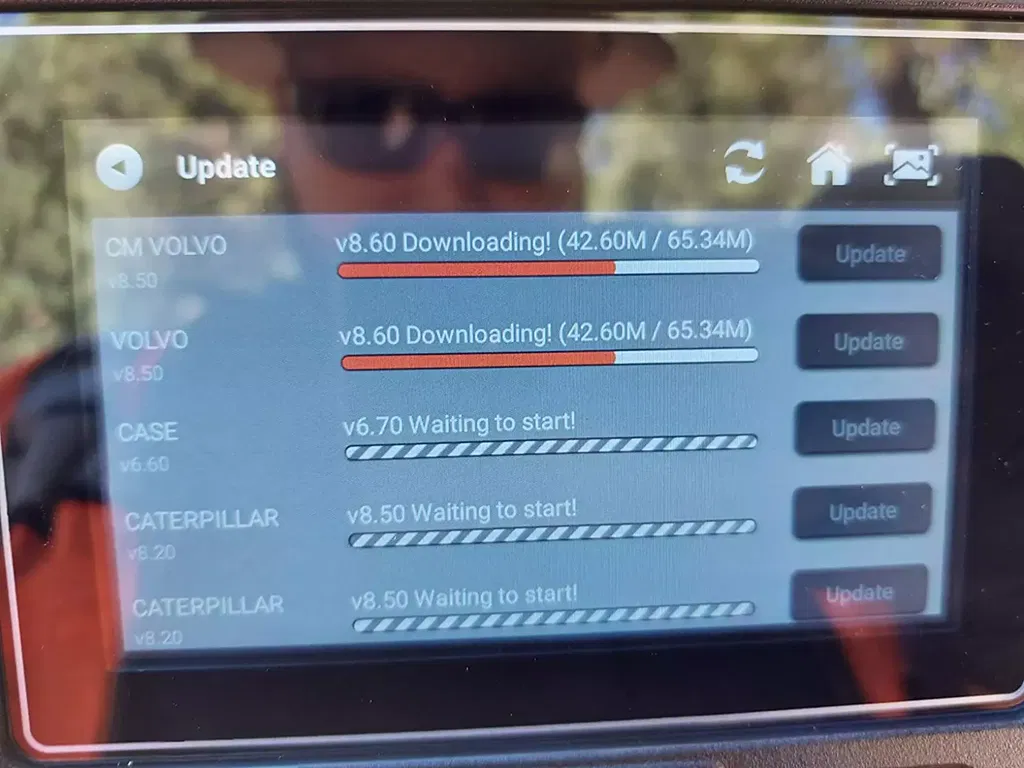
No need to update on computer. By connecting wifi, it will automatically search for the latest update program, just click update, you will get the latest version (more car models, bug fix) of this scanner. You will enjoy lifetime update through one-key function.

How one-click to activate the HD3600?

Step 1: Simply plug into the OBD port on your car and turn the ignition on, after the vehicle power on, the device will automatically startup;
Step 2: Connect WIFI. Go to Settings>WIFI;
Step 3: After successfully connecting to WIFI, go to Settings>Activation, click "Activate".

Note:
1. If the "Activation failed" prompt appears on the screen, please check whether your network connection is normal.
2. Click activate directly to use it, no registration is required.

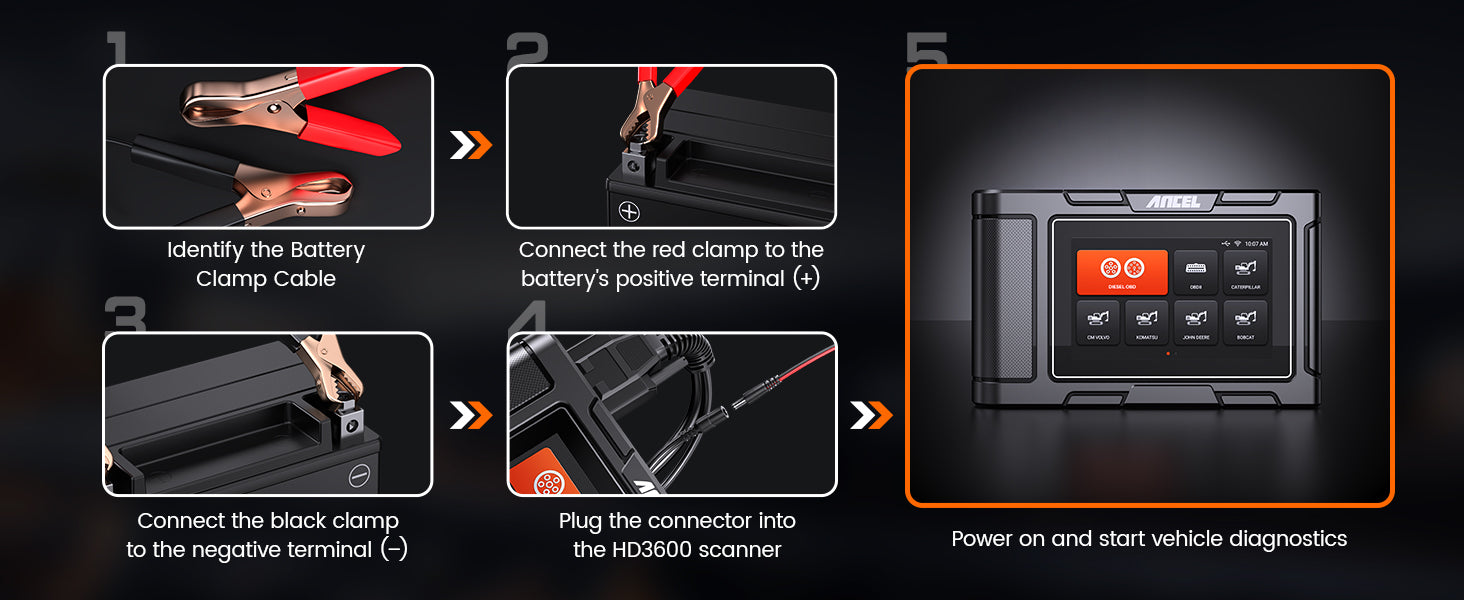
How to Use the HD3600 with Battery Clamps

Don’t Let Power Fail You! Stay Powered Up with the Supplement Battery Clamp Cable for HD3600

About ANCEL HD3600

Who Is the ANCEL HD3600 Best For? Is It Worth Buying If I Only Own One Machine?

The ANCEL HD3600 is a heavy equipment scan tool designed for equipment owners, farmers, fleet managers, and independent technicians who want to perform routine diagnostics, troubleshoot diesel equipment, and reduce downtime.

Whether it's worth buying depends more on your diagnostic needs than the number of machines you own.
- Farmers and Equipment Owners: Read fault codes and identify potential problems before deciding whether to handle repairs themselves or contact a service technician.
- Fleet and Equipment Managers: Diagnose multiple machines, monitor Live Data, and perform supported DPF maintenance functions.
- Independent Technicians: Work on different brands of diesel equipment using one diesel truck scanner for a range of diagnostic tasks.
Buying Advice: Even if you own only one machine, the HD3600 may be a worthwhile investment if you frequently need fault code reading, Live Data checks, or DPF Regeneration—and your equipment supports those functions.

Note: Actual savings depend on equipment compatibility, fault types, usage frequency, and repair costs. A single diagnostic session or DPF Regeneration is not guaranteed to recover the purchase price.

How Can I Confirm Whether the HD3600 Supports the Specific Functions I Need Before Buying?

The most reliable way is to verify compatibility with your exact equipment and required diagnostic functions before purchasing, rather than relying solely on the supported brand list.

Please provide the following information:
- Equipment Details: Make, model, year, engine model, and VIN or equipment serial number, if available.
- Required Functions: Specify whether you need to Read Fault Codes, Erase Fault Codes, view Live Data, perform DPF Regeneration, or carry out another specific service function.
- Diagnostic Connector: If your equipment uses an unusual or non-standard connector, include a clear photo of the diagnostic port to help verify the connection requirements.
Next Step: Send these details to ANCEL Technical Support(support@ancel.com) so our team can check whether the current software version supports your equipment and required functions.

Important: Brand coverage does not guarantee compatibility with every model year, engine, or special function. If a particular service function is essential, we recommend obtaining confirmation before placing your order.

Can I Use One HD3600 to Diagnose My Tractors, Loaders, and Diesel Trucks?

Yes, one HD3600 can potentially be used across different types of equipment. It is designed for agricultural machinery, construction machinery, and heavy-duty diesel trucks.

However, compatibility depends on each machine's make, model, year, and required diagnostic functions.
- Multi-Equipment Diagnostics: The HD3600 supports diagnostic systems on compatible equipment from brands such as Caterpillar, John Deere, Komatsu, Volvo, and Bobcat, as well as vehicles using supported diesel diagnostic protocols.
- Multiple Connection Options: The package includes an OBDII 16-Pin Cable, a DIESEL 6-Pin & 9-Pin Connector, and a CAT-9 Cable for various common diagnostic connections.
- Practical Value: For owners of different types of equipment, the HD3600 can help consolidate fault code reading, Live Data checks, and supported DPF maintenance tasks into one tool, potentially reducing the need for separate scanners.
Buying Advice: If you plan to use the HD3600 on multiple machines, provide the make, model, year, and main diagnostic requirements for each one.

Our technical team can help verify compatibility individually. Support for a particular brand does not mean every model or function from that manufacturer is supported.

Can the HD3600 Perform DPF Forced Regeneration on Any Truck With a Cummins Engine?

Not necessarily. The HD3600 offers DPF Regeneration, but whether it can perform forced regeneration on your Cummins-powered truck depends on vehicle-specific software compatibility and the conditions required by the vehicle's ECU.

Two factors must be considered:
- Function Compatibility: The HD3600 must support the DPF Regeneration command for your specific vehicle or engine control system. Knowing that your truck has a Cummins engine is not enough to confirm compatibility.
- Vehicle Operating Conditions: Even when the function is supported, the ECU may prevent regeneration if certain requirements are not met, such as coolant temperature, fuel level, parking conditions, aftertreatment faults, or other safety prerequisites.
If Regeneration Won't Start: Read Fault Codes, check the relevant Live Data, and investigate any conditions preventing regeneration according to the vehicle's service requirements. Repeatedly clearing fault codes is not a substitute for resolving the underlying problem.

Buying Advice: If DPF Forced Regeneration is your main reason for purchasing the HD3600, please provide your truck's make, year, engine model, and the specific regeneration function you need so our technical team can check compatibility before you order.

Can the HD3600 Diagnose Hydraulic Systems, or Is It Only for Engine Diagnostics?

The HD3600 is not limited to engine diagnostics. It can also diagnose certain electronic control systems related to hydraulics on supported construction machinery.
- Diagnostic Capabilities: If your equipment has a supported hydraulic control ECU, the HD3600 may be able to Read Fault Codes and display available Live Data to help narrow down potential causes.
- Practical Example: If a loader experiences abnormal hydraulic operation, you can first check for electronic fault codes or relevant system data before investigating hydraulic pressure, fluid flow, or mechanical components.
Important Limitations:
- Hydraulic system coverage depends on the specific equipment model and ECU.
- The HD3600 is an electronic diagnostic tool. It cannot replace physical hydraulic pressure testing or other mechanical inspections.
- A fault code alone cannot confirm that a hydraulic pump, valve body, or other mechanical component has failed.
For a more accurate diagnosis, use the HD3600's electronic diagnostic information alongside appropriate physical inspections and tests.

Can the HD3600 Program Injector Calibration Codes or Service Numbers After Injector Replacement?

The HD3600 can assist with injector-related diagnostics, but its ability to write injector calibration codes or service numbers must be verified for the specific engine and control system.
- Diagnostic Capabilities: On supported systems, the HD3600 can Read Fault Codes and display available Live Data to help evaluate engine operation before and after injector replacement.
- Function Limitations: Reading injector-related diagnostic data is different from programming or writing injector codes. If your engine control system does not support injector coding through the HD3600, an OEM diagnostic tool or another specialized scanner may be required.
Buying Advice: If you specifically need to enter injector calibration codes, correction codes, or service numbers after replacement, please provide your engine model and the exact procedure required.

Our technical team can help verify whether the HD3600 supports that operation before you purchase.

My Machine's Dashboard Can Already Read and Clear Fault Codes. Do I Still Need the HD3600?

Not necessarily. If your machine's dashboard provides all the diagnostic information you need, an additional scanner may not be essential.

However, a heavy equipment diagnostic tool like the HD3600 may offer greater value if you regularly deal with recurring fault codes, equipment downtime, multiple machines, or problems that require more detailed diagnostic information.
- Built-In Dashboard Diagnostics: Useful for checking warning messages and the basic diagnostic information available through your machine's display. Additional capabilities vary by equipment, and some dashboards may not provide detailed Live Data or service functions.
- ANCEL HD3600: On supported systems, it can display Live Data, show operating parameters in Graphic mode, access additional control module information, and perform applicable DPF Regeneration functions.
- Practical Value: If you maintain several machines or need to investigate faults across different control systems, a separate diagnostic tool may provide a more convenient and consistent workflow.
Bottom Line: The HD3600 is most useful when you need diagnostic information or supported service functions beyond what your machine's dashboard already provides.

Does the HD3600 Require a Subscription for Software Updates?

No. The ANCEL HD3600 comes with Lifetime Free Updates, with no annual subscription fee for standard software updates.
- How to Update: Connect the HD3600 to Wi-Fi, open the Update menu, and check for available software updates.
- Long-Term Value: Receive officially released compatibility improvements, bug fixes, and feature updates without paying recurring software update fees.
New vehicle coverage and functions depend on future software releases and are not guaranteed for every machine.

What Live Data Can the HD3600 Display, and How Does It Help With Troubleshooting?

Live Data refers to real-time operating parameters reported by a vehicle's electronic control modules.

The HD3600 supports Live Data viewing, graphical display, and saving data records for later comparison.
- Diagnostic Value: On supported equipment, you can monitor available operating parameters alongside fault codes to identify unusual readings and narrow down potential causes.
- How to Use It: Enter the appropriate control module, select Live Data, and review the available parameters in numerical or Graphic mode.
- Save and Compare: You can save Live Data records and compare them with previously saved data from the same vehicle type to help identify changes in operating conditions.
Important Limitation: Available Live Data parameters depend on the specific equipment and control module. Live Data provides diagnostic evidence, but a single reading is not enough to confirm that a particular component has failed.

Still have questions about the HD3600? Please read: ANCEL HD scan tool HD3600 FAQs